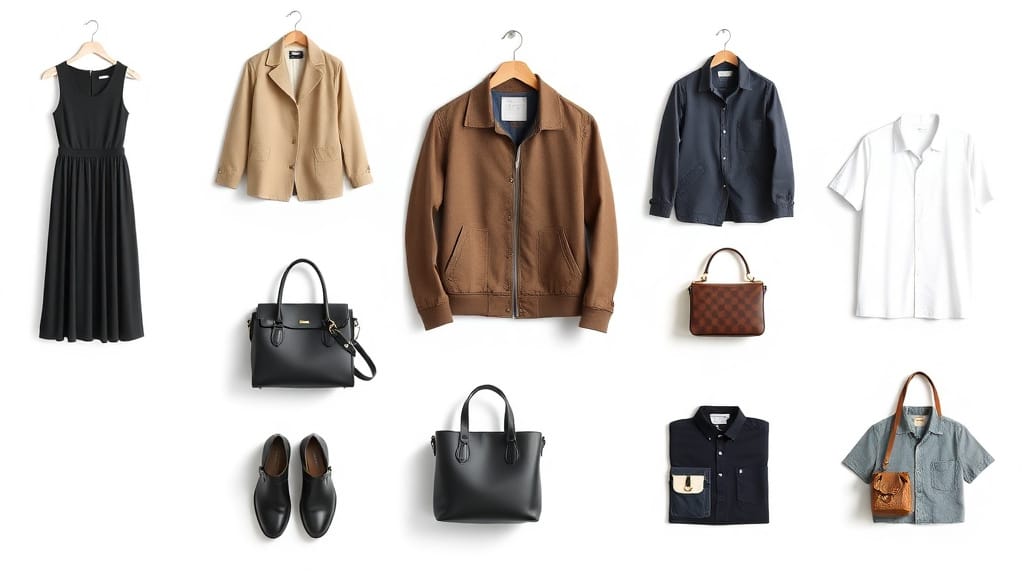
Your product images are the single most important factor in whether a shopper clicks "Add to Cart" or bounces to a competitor. Over 60% of the human brain is dedicated to visual processing — and in eCommerce, where customers cannot touch, feel, or try your products, photography is everything.
At Pixel By Hand, we have spent over a decade editing product images for 380+ eCommerce businesses worldwide. This guide distils everything we have learned into a comprehensive set of product image best practices for eCommerce — from the initial photography shoot through to post-production, SEO optimisation, and ongoing testing.
Whether you sell on your own website, Amazon, Etsy, or any other marketplace, these practices will help you increase conversions, reduce returns, and build a professional brand.
Table of Contents
- Planning and Preparation
- Photography Fundamentals
- Backgrounds and Composition
- Multiple Angles, Close-Ups, and Variants
- Lifestyle and Context Shots
- Post-Production and Editing
- File Formats, Resolution, and Page Speed
- Mobile Optimisation
- SEO and Alt Text
- Marketplace Requirements
- Advanced Techniques
- Testing and Continuous Improvement
- Quick-Reference Checklist
- FAQ
1. Planning and Preparation
Create a Clear Image Profile
Before you pick up a camera, define exactly how you want your products to look. Build a profile of your ideal customer — their age, tastes, influences — and let that shape every decision about mood, styling, and context.
Ask yourself:
- Will products be shown on a model, flat-lay, or standalone?
- What colour palette fits your brand?
- How will images sit alongside existing products on your site?
A clearly defined image template saves enormous time later and ensures consistency from the very first shoot.
Prepare Your Products Thoroughly
This step is non-negotiable. Before any product goes in front of the lens:
- Remove dust, fingerprints, hairs, and fluff
- Steam or iron clothing items
- Polish reflective surfaces
- Check for packaging damage or label misalignment
Minor imperfections become glaringly obvious in high-resolution photographs. Five minutes of preparation can save hours of retouching.
Study Your Competitors
Look at successful brands in your niche. How do they display their products? What angles, backgrounds, and layouts do they use? Your industry will often have established conventions that customers expect. Use these as a baseline, then find ways to differentiate.
2. Photography Fundamentals
Lighting: Get This Right and Everything Else Follows
Lighting is the single biggest factor in image quality. Natural light — near a large window or outdoors on an overcast day — is often the best and most forgiving option. It minimises harsh shadows and glare without expensive equipment.
If you must use artificial lighting:
- Use at least two light sources to avoid a single harsh shadow
- Invest in softboxes or diffusers to spread light evenly
- Avoid direct on-camera flash unless you are combining multiple flash units
Consistent, even lighting across every product shot is essential for a professional catalogue.
Use a Tripod
A tripod eliminates camera shake, ensures consistent framing between shots, and makes it far easier to reproduce the same setup for different products. Even budget tripods make a noticeable difference. If you are shooting with a smartphone, use a phone mount attachment.
Use High-Resolution Equipment
Aim for retina-ready images. This means maximising pixel density so products appear sharp and clear on modern screens. A DSLR or mirrorless camera is ideal, though modern smartphone cameras can produce excellent results in good lighting.
Always shoot at the highest resolution your equipment allows — you can downscale later, but you cannot add detail that was never captured.
Take More Shots Than You Need
Overshoot. It increases your chances of capturing the perfect angle and saves you from having to set everything up again later. Storage is cheap; reshooting is not.
3. Backgrounds and Composition
Use a Clean, Neutral Background
A plain white or light grey background is the gold standard for product photography. It removes distractions, keeps the focus squarely on your product, and meets the requirements of most marketplaces including Amazon.
If you photograph products regularly, invest in a lightbox or seamless paper roll for consistent results every time.
Make Your Product Stand Out from the Background
This sounds obvious, but it is one of the most common mistakes we see — particularly with white or light-coloured products on white backgrounds. If your product blends into the background, consider:
- Subtle shadow effects to create depth and separation
- Slight background tinting
- Post-production colour enhancement on the product itself
Fill the Frame
Your product should occupy at least 85% of the image area. Too much empty space makes products look small and insignificant. Crop tightly — customers are here to see the product, not the backdrop.
Remove All Distractions
Every element in the frame should serve a purpose. If it does not help sell the product, remove it. Random objects, cluttered surfaces, and busy backgrounds give customers reasons to form opinions about everything except your product.
Use Negative Space Intentionally
While you should fill the frame, strategic use of white space around the product creates a clean, premium feel. The key is intention — planned negative space looks professional; accidental empty space looks lazy.
Ready to transform your product images? Send us your photos for a free sample edit — no obligation, no credit card required.
4. Multiple Angles, Close-Ups, and Variants
Show Multiple Angles
Online shoppers cannot pick up your product and turn it around. Compensate by providing shots from multiple angles — front, back, sides, top, and bottom where relevant. Some retailers use 360-degree rotatable images, which are proven to increase conversions compared to single product shots.
As a minimum, aim for three to five angles per product.
Include Close-Up Detail Shots
Close-ups allow customers to examine texture, materials, stitching, hardware, and other fine details. This is particularly important for:
- Jewellery and watches
- Clothing and accessories
- Electronics (ports, buttons, screens)
- Handmade or artisan products
Use close-ups strategically — they are powerful when targeted at genuine selling points, but overuse can overwhelm.
Display Every Variant
If your product comes in different colours, sizes, materials, or models, photograph each one. Never force customers to imagine what a product looks like in blue when you only show it in red.
Bear in mind that colours can render differently across devices. Accurate colour reproduction in your photography and editing process reduces returns and improves customer satisfaction.
Provide a Sense of Scale
Customers often misjudge product size from photos alone. Combat this by:
- Placing a recognisable object (a coin, a hand, a ruler) alongside the product
- Including dimensions directly on the image
- Showing the product in use by a person
This simple step dramatically reduces the "it's smaller than I expected" disappointment that drives returns.
5. Lifestyle and Context Shots
Combine Studio and Lifestyle Photography
There is no need to choose between clean white-background shots and lifestyle imagery — the best product pages use both.
- Studio shots (white background) let customers examine the product itself without distraction
- Lifestyle shots show the product in context — being worn, used, or displayed in a real setting
Lifestyle images help customers envision the product in their own lives. A kitchen appliance on a white background shows what it looks like; the same appliance on a styled countertop shows customers why they need it.
Use Models Where Appropriate
For apparel, accessories, and wearable products, model shots are essential. They communicate fit, scale, and style in a way that flat-lay photography simply cannot. Choose models that reflect your target customer demographic.
Keep Lifestyle Backgrounds Simple
Even in lifestyle shots, the background should complement rather than compete with your product. A carefully styled scene with minimal props is far more effective than a cluttered real-world environment.
6. Post-Production and Editing
Every Image Benefits from Editing
No matter how well you shoot, post-production improves the final result. Common editing tasks include:
- Background removal or cleanup — achieving that perfect white background
- Colour correction — ensuring accurate, consistent colours
- Retouching — removing dust, scratches, or imperfections missed during preparation
- Shadow creation — adding natural, drop, or reflection shadows for depth
- Cropping and alignment — consistent sizing and positioning across your catalogue
Do Not Over-Edit
There is a fine line between enhancement and fabrication. Over-processed images look artificial and erode customer trust. The goal is to present your product at its genuine best — not to create something that looks nothing like what arrives in the post.
Maintain Absolute Consistency
Consistency in editing is just as important as consistency in photography. Every product on your site should have:
- The same background treatment
- The same shadow style (or no shadow)
- The same crop ratio and product positioning
- The same colour temperature and brightness
This consistency builds brand confidence and creates a professional catalogue feel.
Consider Professional Editing Services
If you have significant volumes of product images — or simply lack the time and expertise — outsourcing to a professional editing service is often the most cost-effective approach. At Pixel By Hand, we handle background removal, colour correction, retouching, and shadow creation for eCommerce businesses worldwide. Start your free trial today.
7. File Formats, Resolution, and Page Speed
Choose the Right File Format
| Format | Best For | Notes |
|---|---|---|
| JPEG | Most product images | Good compression, small file size, no transparency |
| PNG | Products needing transparent backgrounds | Larger files, supports transparency |
| WebP | Modern web delivery | Superior compression, supported by all major browsers |
Use JPEG for the majority of product images. Use PNG when you need to place products on coloured or patterned backgrounds. Consider WebP for additional compression savings.
Balance Quality and File Size
High-resolution images are essential for zoom functionality, but oversized files destroy page speed — and slow pages kill conversions. Aim for:
- Minimum 1000 x 1000 px for zoom capability (Amazon requires at least 1000px on the longest side)
- Maximum file size of 200-300 KB per image after compression
- Use image compression tools (TinyPNG, ShortPixel, or your platform's built-in optimisation) to reduce file size without visible quality loss
Resize with Care
Never upscale a small image — it will look pixelated and unprofessional. Always start with the highest resolution and scale down. If your platform supports responsive images, provide multiple sizes so each device loads only what it needs.
Optimise for Page Speed
Every additional second of load time increases bounce rate. Beyond compression:
- Enable lazy loading so images below the fold load only when scrolled into view
- Use a Content Delivery Network (CDN) to serve images from servers closest to the customer
- Avoid loading full-size images when thumbnails will do
8. Mobile Optimisation
More than half of all eCommerce traffic now comes from mobile devices. Your product images must work flawlessly on smaller screens.
Test on Multiple Devices
Colours, brightness, and detail render differently across phones, tablets, and desktop monitors. Test your product pages on:
- iOS and Android phones
- Tablets in both orientations
- Desktop at various screen sizes
Use Square or Near-Square Aspect Ratios
Square images (1:1) display more consistently across devices and platforms than traditional landscape formats. Most marketplaces use square thumbnails, so designing for this format from the start avoids awkward cropping.
Ensure Zoom Works on Touch Screens
Pinch-to-zoom is how mobile users examine product details. Your images must be high-resolution enough to look sharp when zoomed, and your product page must support touch-based zoom functionality.
9. SEO and Alt Text
Your product images can drive significant traffic through Google Image Search and improve your overall page rankings — but only if they are properly optimised.
Write Descriptive Alt Text
Alt text serves two purposes: accessibility for visually impaired users and context for search engines. Write alt text that:
- Describes the product accurately ("navy blue men's leather wallet, front view")
- Includes relevant keywords naturally
- Avoids keyword stuffing
Use Descriptive File Names
Rename image files before uploading. navy-leather-wallet-front.jpg is infinitely better than IMG_4392.jpg for both SEO and your own organisation.
Add Image Descriptions and Captions
Where your platform supports it, add descriptions that include relevant keywords. This gives search engines additional context about your products.
Submit an Image Sitemap
An image sitemap helps search engines discover and index your product images more effectively. Most eCommerce platforms can generate these automatically or through plugins.
10. Marketplace Requirements
Each marketplace has its own image specifications. Failing to meet them can result in suppressed listings.
| Marketplace | Main Image Background | Minimum Size | Max Images | Key Rules |
|---|---|---|---|---|
| Amazon | Pure white (RGB 255,255,255) | 1000 x 1000 px | 9 | No text, logos, or watermarks on main image; product fills 85%+ of frame |
| eBay | White or light grey preferred | 500 x 500 px | 24 | No borders, text overlays, or promotional content on main image |
| Etsy | No strict requirement | 2000 x 2000 px recommended | 10 | First image used as thumbnail; natural/lifestyle images perform well |
| Shopify | Your choice | 2048 x 2048 px recommended | Unlimited | Square format recommended; consistent sizing across catalogue |
Always check the latest guidelines for your specific marketplace — requirements change regularly.
11. Advanced Techniques
Consider Video
Video cannot replace product images, but it is a powerful supplement. Product videos showing items in use, being assembled, or demonstrating key features help bridge the gap between online and in-store shopping. Keep videos short, optimised for page speed, and always provide static images alongside.
Use GIFs for Quick Multi-Angle Views
Animated GIFs can cycle through multiple angles without requiring user interaction. They are particularly effective for products where shape and form are key selling points. Keep file sizes manageable by limiting frame count and dimensions.
Leverage User-Generated Content
Photos from real customers using your products are some of the highest-converting images available. They provide social proof and show products in genuine, everyday contexts. Encourage customers to share photos and, with permission, feature them on your product pages.
Explore Social Shareability
If your product images are striking enough, customers will share them on social media — generating free exposure. Make sharing easy with social buttons on product pages, and consider creating images specifically designed for platforms like Instagram and Pinterest.
12. Testing and Continuous Improvement
A/B Test Your Images
Never assume you have found the perfect image. Run A/B tests comparing:
- White background versus lifestyle shots
- Different angles as the main image
- With shadow versus without shadow
- Single image versus multi-image carousels
Keep all other variables (price, description, title) constant and measure conversion rates over a meaningful period.
Track Performance with Analytics
Use Google Analytics or your platform's built-in reporting to monitor:
- Click-through rates on product listings
- Time spent on product pages
- Conversion rates per product
- Return rates (which may indicate misleading imagery)
Never Stop Improving
Your product images are not a one-time project. Revisit and refresh them regularly. Trends evolve, customer expectations rise, and your competitors are constantly improving. The businesses that treat product photography as an ongoing investment consistently outperform those that treat it as a tick-box exercise.
Quick-Reference Checklist
Use this checklist for every product image you publish:
Photography
- Product cleaned and prepared before shooting
- Consistent, even lighting (natural light preferred)
- Tripod used for stability and consistency
- Shot at highest available resolution
- Multiple angles captured (minimum 3-5)
- Close-up detail shots taken
- All colour variants and sizes photographed
- Scale reference included where needed
- More shots taken than needed
Post-Production
- Background removed or cleaned to pure white
- Colours corrected for accuracy
- Retouching applied (dust, scratches, imperfections)
- Consistent shadow style across catalogue
- Cropped to consistent dimensions
- Product fills 85%+ of frame
- Not over-edited — product looks realistic
Technical
- Saved as JPEG (or PNG if transparency needed)
- Minimum 1000 x 1000 px
- File size under 300 KB after compression
- Descriptive file name (not IMG_1234.jpg)
- Alt text written with keywords
- Loads quickly on mobile
- Zoom functionality works on desktop and touch devices
Consistency
- Matches all other product images on site
- Same background, shadow, crop ratio, and positioning
- Meets marketplace-specific requirements
- Tested on multiple devices and screen sizes
FAQ
How many product images should I have per product?
Aim for a minimum of three images: a front-facing main shot, an alternative angle, and a close-up detail shot. For most products, five to seven images (including lifestyle shots and variant images) is the sweet spot. Amazon allows up to nine images per listing — use as many as you can without padding with low-quality filler.
What is the best background colour for product photos?
Pure white (RGB 255, 255, 255) is the safest choice. It is required by Amazon for main images, looks clean on any website, and keeps the focus entirely on your product. Light grey is a good alternative for products that are white themselves. Use lifestyle backgrounds only for supplementary images.
Do I need a professional camera for product photography?
Not necessarily. Modern smartphones with good lighting can produce excellent results for many product types. However, a DSLR or mirrorless camera gives you more control over depth of field, white balance, and resolution — which matters particularly for products with fine detail or reflective surfaces.
Should I use lifestyle or white-background images?
Both. Your main product image should be on a clean white background for clarity and marketplace compliance. Supplementary images should include lifestyle shots that show the product in context. This combination gives customers both the detail they need and the aspiration that drives purchases.
How do I reduce image file size without losing quality?
Use compression tools such as TinyPNG, ShortPixel, or Squoosh. These reduce file size by removing unnecessary metadata and optimising encoding without visible quality loss. Save as JPEG at 80-85% quality for the best balance. For modern browsers, WebP format offers even better compression.
Can product images really affect my conversion rate?
Absolutely. Studies consistently show that high-quality product images increase conversion rates by 20-30% or more. Poor images are one of the top reasons customers abandon product pages. Investing in professional-quality imagery — whether through better photography, professional editing, or both — is one of the highest-ROI activities in eCommerce.
About Pixel By Hand
We are a professional product photo editing service with over 10 years of experience and 380+ eCommerce clients worldwide. From background removal and colour correction to retouching and shadow creation, we help online businesses present their products at their absolute best.
Want to see the difference professional editing makes? Send us your images for a free sample edit — no obligation, completely free. Or start your free trial and put your product image editing on autopilot.